Welcome!

Inspiration scrapbook/blog of an autistic twenty-something who happily crawled in thorny bushes and got barbed seeds stuck in her stockings, bought into the “not like other girls!” 90’s girl power brand of feminism, then grew up to realize she rather liked pink when it isn’t all there is to pick from.

A long time admirer of Lolita fashion and lifestyle (can’t afford it yet!), clumsily embracing pretty and feminine things! (While keeping some tomboyish interests too, of course! …….. I still don’t like cooking much.)

Favourite things include pastel colours, old shoujo manga, Sanrio, nature (birds, animals, flowers!), books, and old anime/manga.

Loved reading the Princess Portal and The Lost Princess as a child, firm believer in romanticizing the little things about life!

Kind of a scatterbrain, but the nice thing about being forgetful is the world always looks fresh and brand new every day.

The Princess Code Banner

Sunlit grass and dancing flowers

Today, I saw for the first time in real life how blades of grass light up and, when the wind blows, the light ripples from leaf to leaf as they bend and sway!

I’s only seen that in a very stylized fashion when the wind blows over grass in old anime like a jagged streak of brighter green over a grassy hill, but never saw it in real life, as I live in a desert!! It’s so beautiful… I watched it happen in the hospital garden from the clinic window.

The clinic was a bit chilly, though, and I forgot to wear an extra layer, but there was a convenient velvety green prayer mat under the window, so I brought it closer to lean on…

The grass was dotted with cute, little, white flowers… they danced in the wind too!

I don’t know their name, they might be considered “weeds,” but anything is lovely when you’re used to an arid landscape where only the occasional sunny yellow dandelion or fluffy white dandelion puff breaks the monotony.

How to run shimeji!

So, if you’ve been getting that dreaded Java 6 error, here’s how to get past it! You’ll need to download shimejiee–it’s shimeji, but updated a little and in English!

http://kilkakon.com/shimeji/index.php

For my example, I’m going to be using Snivy-Tsutarja by Reshidove on deviantArt.

Once you download that and downloaded your sadly non-functional shimeji, here’s how to get your little desktop cutie back up and running!

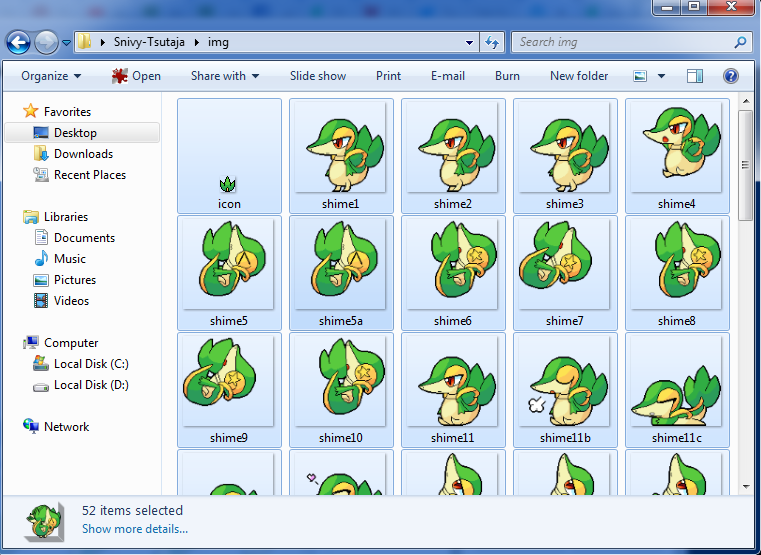
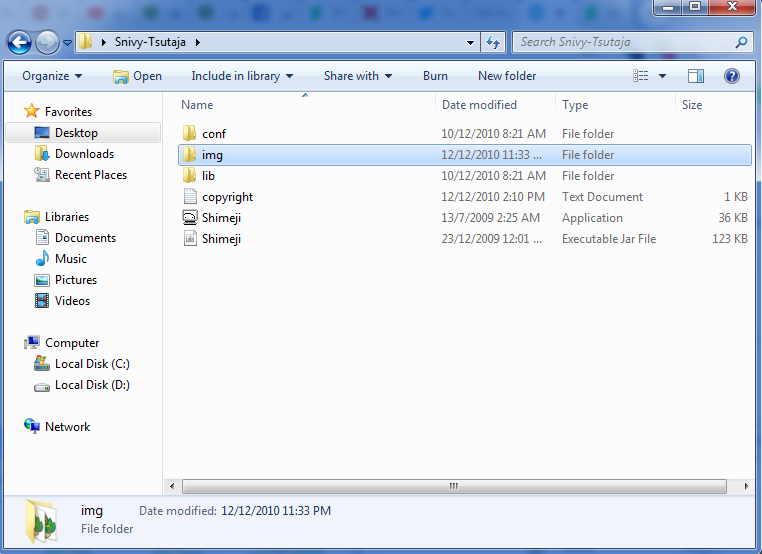
You extract shimeji-ee, find the img folder, and open that…

Make a new folder inside it, you’ll find folders like [shimeji] with the default white blobby shimeji, make your own for your character, Tsutarja in this case!

What you’re going to do is basically move the contents (only the actual images, not the folder!) from the img folder of your sad Shimeji, and drop them into your new folder!

Then, you run shimeji-ee and right-click the icon to see the settings.

Click “Settings”!

Select “Choose Shimeji…”

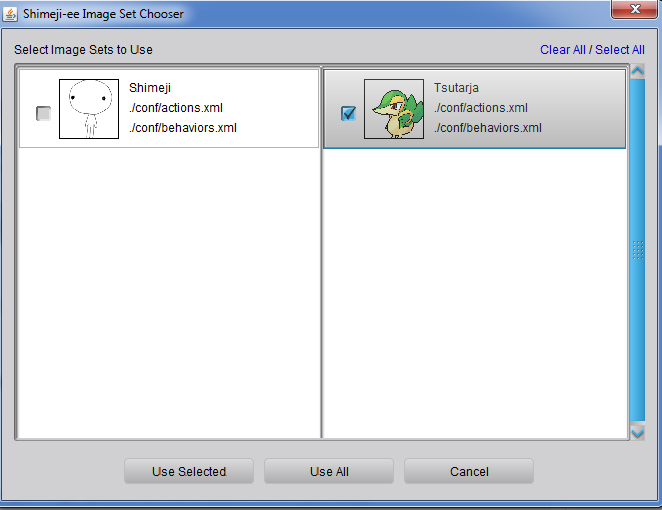
It’s here!!! Select your image set (named the same name as the file you copied the images to, “Tsutarja” in our example!). Tick the box, then click “Use Selected.” Untick the default shimeji if you don’t want it around… ^^;;

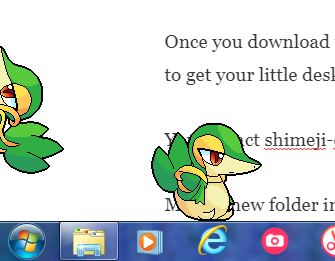
And that’s it! Watch your shimeji, swing them into the air, toss them at the sides of your computer screen to watch them climb, or just let them roam around and do their own thing… or right-click the taskbar icon to control their behaviour more!

Enjoy.